
Here, data protection is architecture, not a statement of intent.
Every piece of information belongs to one of three data zones. Agents, tools and AI services each carry a zone – and MadeForPrivacy checks every combination technically before a single byte leaves your company. Not as a clause in a contract, but as a rule in the code.
In brief
Where can your data go when you use AI?
Video transcript
Hi, I'm Neva, your personal assistant. Today I'll show you how MadeForPrivacy decides where your data is allowed to go.
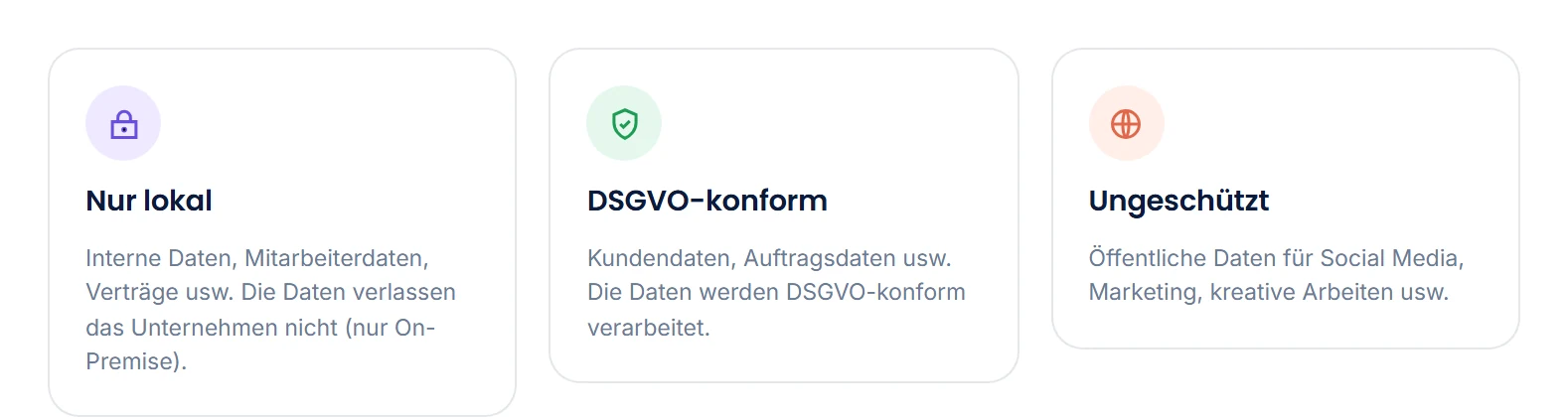
That's what the three data zones are for. Local only: the data never leaves your company. GDPR-compliant: for customer and order data. And Unprotected: for public content, such as marketing copy.
Every agent runs in exactly one zone. Before every run, MadeForPrivacy checks whether every model and service in the agent fits that zone.
If a service doesn't fit, it isn't used. And if there is no suitable one, the agent doesn't run at all.
And with me? You choose the zone yourself, right next to the input field. I then only hand tasks to agents that fit.
That's how you decide where your data goes. And MadeForPrivacy makes sure it stays that way.
The zone rule
A step only uses what meets at least the zone of its agent.
Zones are ranked: Local only is stricter than GDPR-compliant, and GDPR-compliant is stricter than Unprotected. An agent in a given zone can use services from the same or a stricter zone – never from a more open one. If no service qualifies, the step doesn't run.
| Agent runs in | may use services from "Local only" | "GDPR-compliant" | "Unprotected" |
|---|---|---|---|
| Local only | ✓ | ✕ | ✕ |
| GDPR-compliant | ✓ | ✓ | ✕ |
| Unprotected | ✓ | ✓ | ✓ |
The same rule applies to Neva and dynamic agent selection: the data zone you choose with the badge determines which specialists are eligible in the first place.
What leaves your company
As little as possible – and never unnoticed.
An AI call doesn't get "the document", only the excerpt the step needs. The pipeline decides what goes out; the zone decides where it goes; and the tracker records that it happened. A research agent is "Unprotected" because of web search; its summarising step still only uses a GDPR-compliant service, because its service list contains only that one.
- Data minimization by designTools pass on structured items; a model sees only the fields for its step, not the whole briefcase.
- Zone-based routingLocal models for sensitive steps, approved cloud services for the rest. The zone applies to the whole agent and sets the limit. Per step, you define which services within that limit come into question – a step can work more strictly than its agent, never more openly.
- Logged per runEvery step, every service, every request with timestamp, tokens and result – traceable for operations and compliance evidence.
- No training on your dataYour installation uses services as processors; you agree the underlying contracts directly with the provider.
Privacy Mode
The model reads [Person 1]. You read the real name.
In Privacy Mode, the client replaces names, contact details, account numbers, keys and similar details with placeholders before a message leaves your device. It translates the answer back before you read it. The feature is part of the client and available to you in every conversation.
Write to Anna Keller at a.keller@example.de that the instalment from DE89 3704 0044 0532 0130 00 will be debited on Friday.
Write to [Person 1] at [Mail 1] that the instalment from [IBAN 1] will be debited on Friday.
[Person 1]Detected in the zoneGDPR-compliant, the instalment will be collected on Friday from account DE89 3704 0044 0532 0130 00Protected valueThe model never saw this value, only the placeholder [IBAN 1]Detected in the zoneLocal Only.The client detects patterns itself
Directly on your device, also offline and without an agent, the client finds email addresses, phone numbers, IBANs with a valid checksum, credit card numbers, tax and VAT IDs, known formats of API keys and tokens, private keys, credentials in URLs and random-looking strings. Secrets get their own placeholder such as [Key 1] and are shown masked in the list until you click them.
An agent finds names and companies
An agent in MadeForPrivacy detects persons, addresses, companies and other details without a fixed pattern; it also checks email addresses, phone numbers and IBANs. You configure it like any other agent. If the agent of your conversation runs in a more permissive data zone than this detection agent, you start the detection with a shield icon next to the input field.
No entry without your click
"Apply suggestions" adds all detected details with their type to the list, "Apply selection" adds a text you selected yourself. Nothing moves onto the list on its own. Your input field keeps showing the real text and highlights what will be replaced on sending and what is still missing. The client replaces only when sending.
The list stays on your device
Every conversation has its own replacement list. It lives only in the client and goes neither to an agent nor to the server. On every send, the client replaces the originals, including in the earlier history and regardless of the data zone. The answer shows the real values again; hover over one and you see the placeholder the model received and the data zone in which the value was detected.
A final check before sending
Just before a message leaves your device, the client checks the text once more locally. If clear findings are not on the list, such as keys, numbers with a valid checksum, contact details or spelling variants of a list entry, it asks. You choose "Apply and send", "Send anyway" or "Back".
Entries for all conversations
You enter your own name or internal identifiers once in the settings. These entries apply automatically in every conversation whose agent runs in a more permissive data zone than the one in which you protected the entry, and they do not expire. The client deletes a conversation's entries after the retention period, counted from their last use.
The data zones define which service may see a message. Privacy Mode also determines what it gets to see in it, namely placeholders instead of the originals. You yourself read placeholders only in the replacement list and in the note on a protected value.
No detection finds everything. That is why the client shows you before sending what it will replace, and you add anything missing yourself. It does not replace content in attachments; if you send a file along, it tells you so.
Security in operation
Encrypted, separated, auditable.
Data zones govern the data flow. Underneath is the technology that would apply even without AI: secrets in Vault, encrypted communication, audit logs, nothing unencrypted on workstations.
Secrets in Vault
Passwords, API keys and bind credentials never appear in configuration files – only references, resolved from HashiCorp Vault.
mTLS between services
An internal certificate authority issues certificates; core, database, cache and workers communicate with each other over encrypted connections.
Encrypted item relay
Large payloads between client, server and workers are stored in the relay storage encrypted with AES-256-GCM and with an expiry time.
No data left on the client
The desktop client keeps decrypted data in memory only; anything stored permanently goes into an encrypted vault per user.
Audit logs & change history
Who ran which agent when, and who changed which setting? Logs and history answer that – without digging through application logs.
Encrypted backups
Configuration, data, licenses and Vault entries as an encrypted backup, for recovery and migration.
To be clear
Technology does not replace responsibility.
Data zones are product controls – not legal advice
MadeForPrivacy enforces data handling rules technically and makes them auditable. What it cannot do: sign data processing agreements with AI providers, set retention and deletion periods, or provide the legal basis for processing. That remains your organization's responsibility – we help set things up so the zones match your requirements, and we provide the evidence from operation.
Live demo
Which data may go where in your company?
In a short call, we map your use cases to the zones and show you how the rules become visible in the client and in the tracker.